

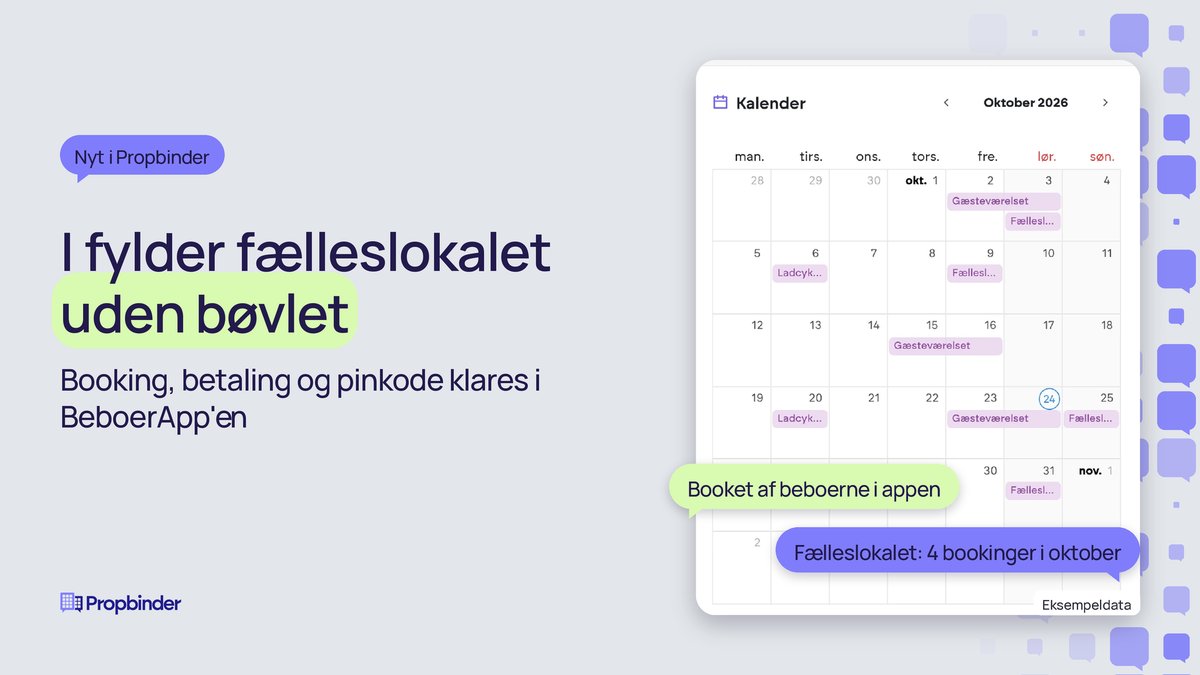
Booking of facilities in the Resident App
How do residents borrow the common room on a Saturday night when the office is closed? Now they can book the common room, guest room, and cargo bike themselves in the Resident App. They select a time slot, accept the rules, pay, and gain access within the app. You set the parameters once.
On Thursday evening, a resident books the common room for a birthday party on Saturday. An hour before the party, the PIN code for the key box appears on the booking, and the payment has been processed. No one in the office has had to hand out a key, write in a calendar, or send an invoice.
Booking is part of the resident community in Propbinder, alongside the notice board, events, groups, and chat. Everything is in the same place as the rest of your operations.
Residents book for themselves
The resident handles the entire booking in the app, from selecting the time slot to the day the borrowed item is returned:
- Selects the facility, a date, and a time slot. The calendar can show available times up to 12 months in advance.
- Accepts the facility's terms, such as cleaning requirements after use.
- Pays if the facility has a fee, and can enter a discount code.
- Views the PIN code for the key box on the booking starting one hour before the start time. If you have a lock integration, the resident unlocks it from the app during the booking period.
- Marks in the app when, for example, the cargo bike has been returned.
If only the tenant on the lease is allowed to book, you can enable this. This prevents others in the household from booking, and you know exactly who the booking belongs to.
You set the parameters once
For each facility, you decide how it can be booked. After that, the bookings follow the rules. No one needs to keep an eye on the calendar or remind residents to pay.
- Price: fixed price per booking, price per hour, or free of charge.
- When payment is processed: e.g., 48 hours before the start time. After that, the booking cannot be cancelled.
- Duration: time slots from 30 minutes to 2 hours, or a fixed period such as the guest room from 2:00 PM to 11:00 AM the following day.
- Opening hours and limits: weekdays and weekends separately, and, for example, a maximum of one booking per tenant per day.
- Closed days: e.g., the common room is closed during floor maintenance and every year on New Year's Eve.
- Discount codes: a code so staff can book without paying, or a one-time code for a free night in the guest room.
- Sharing: The cargo bike can be shared with the neighboring property, and a booking in one place occupies the time in both.
- Booking notification: The caretaker receives an email when the common room is booked.
- External booking: The padel court is booked through the club's own system, and residents are redirected there.
If you use Boligflow, payments are recorded in the account you choose for the facility.
You close the room for communal dining
If you host communal dining from 6 PM to 9 PM, the event closes the common room for general booking, preferably from 4 PM to 10 PM, so there is time to set up and clean up. The room cannot be double-booked, and if the event is cancelled, it opens again.
Operations can still step in when needed:
- If a resident calls, you can book on their behalf from Propbinder, using the same price and discount code as in the app.
- If a booking needs to be deleted, for example after water damage in the kitchen, the resident receives a message with your explanation.
- The chairperson of the residents' association can become a booking administrator and create and manage the property's facilities themselves.
Residents read the rules in their own language
You write the title, description, and terms in Danish. The AI translates them into English, German, Swedish, Norwegian, or Spanish, so no one has to write the text multiple times. Staff can edit the translation or write it themselves before saving.
Residents see the facility in the language they have chosen in the app. This way, residents know the rules for cleaning and return, even when Danish is not their first language.
You see what the facilities are used for
All bookings are gathered in Propbinder without anyone having to enter them manually:
- A monthly calendar where bookings, closed days, and events each have their own color.
- A list of all bookings including resident, time slot, price, and discount, which can be exported to Excel.
- Statistics on the most booked facilities with the number of bookings, hours, and residents, month by month.
- A consolidated overview across customers, companies, and properties on the Dashboard.
This allows you to see if the guest room is sitting empty or if the laundry room is booked every day before you decide where to spend money.
Get your facilities up and running without tying up your operations
Common rooms, guest rooms, and cargo bikes are used without putting a strain on operations, because booking, payment, and access are all handled in the app. The time that operations staff used to spend on keys, calendars, and billing can now be spent on the tasks that actually require their attention.
Tenants get a property where they can easily book the common room for a birthday party or the guest room for visiting family.
We would love to show you how the next birthday party in your common room can be booked and paid for in the Resident App, without the office needing to get involved.
Unlock the full potential with Propbinder
Book a meeting with one of our consultants by clicking the button below, or reach out to our CEO directly for a personal consultation.
Book a meeting

